
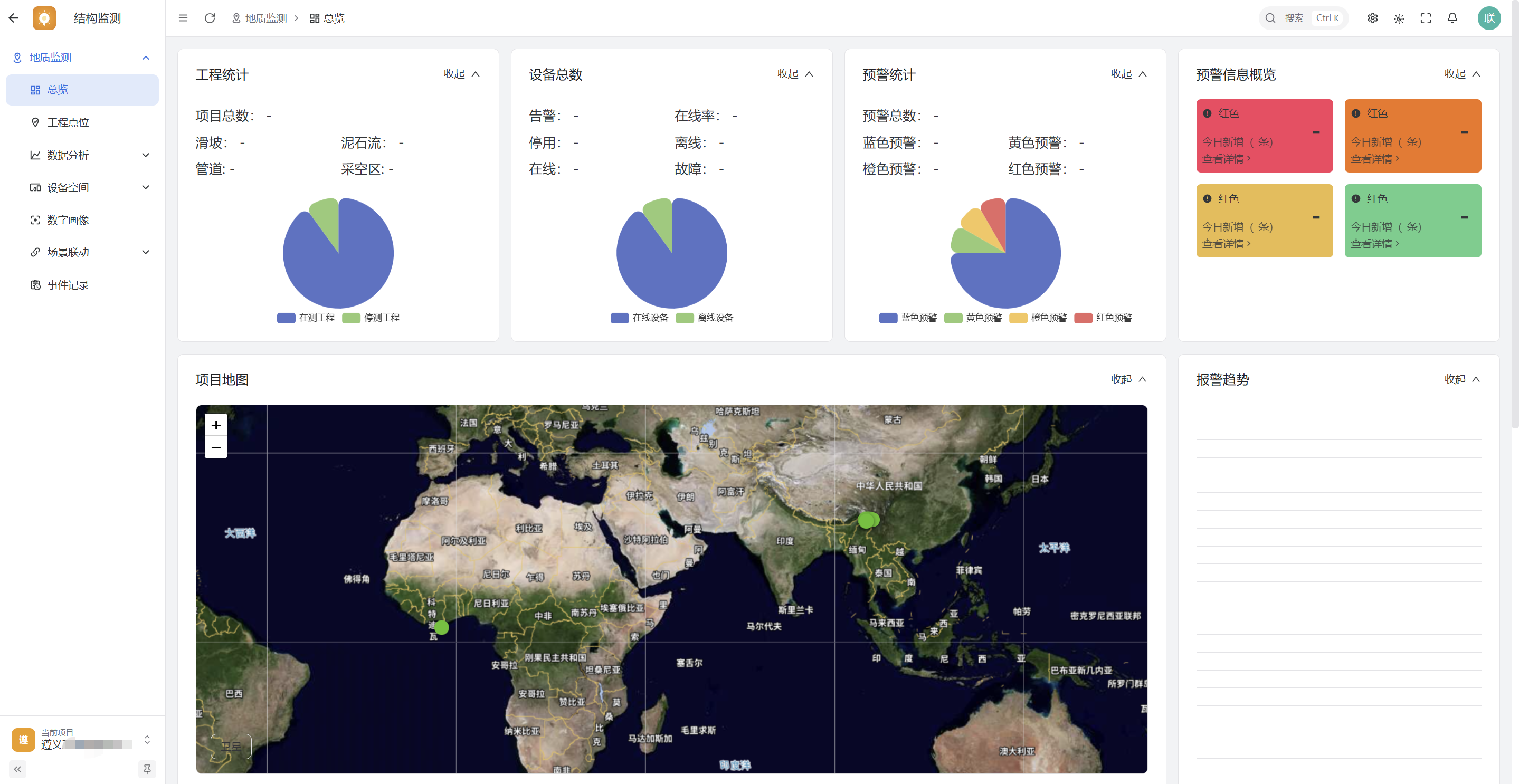
Monitoring overview
Historical public monitoring interface.
INDUSTRY PRODUCTS / Structural Monitoring
Organize measurement points by project and review curves and reports by direction, unit, and interval.
Scenario problem
Monitoring work requires both sensor locations and changing readings. A single chart cannot replace project context or professional judgment.
Group devices and monitoring points by project and place them on a digital profile.
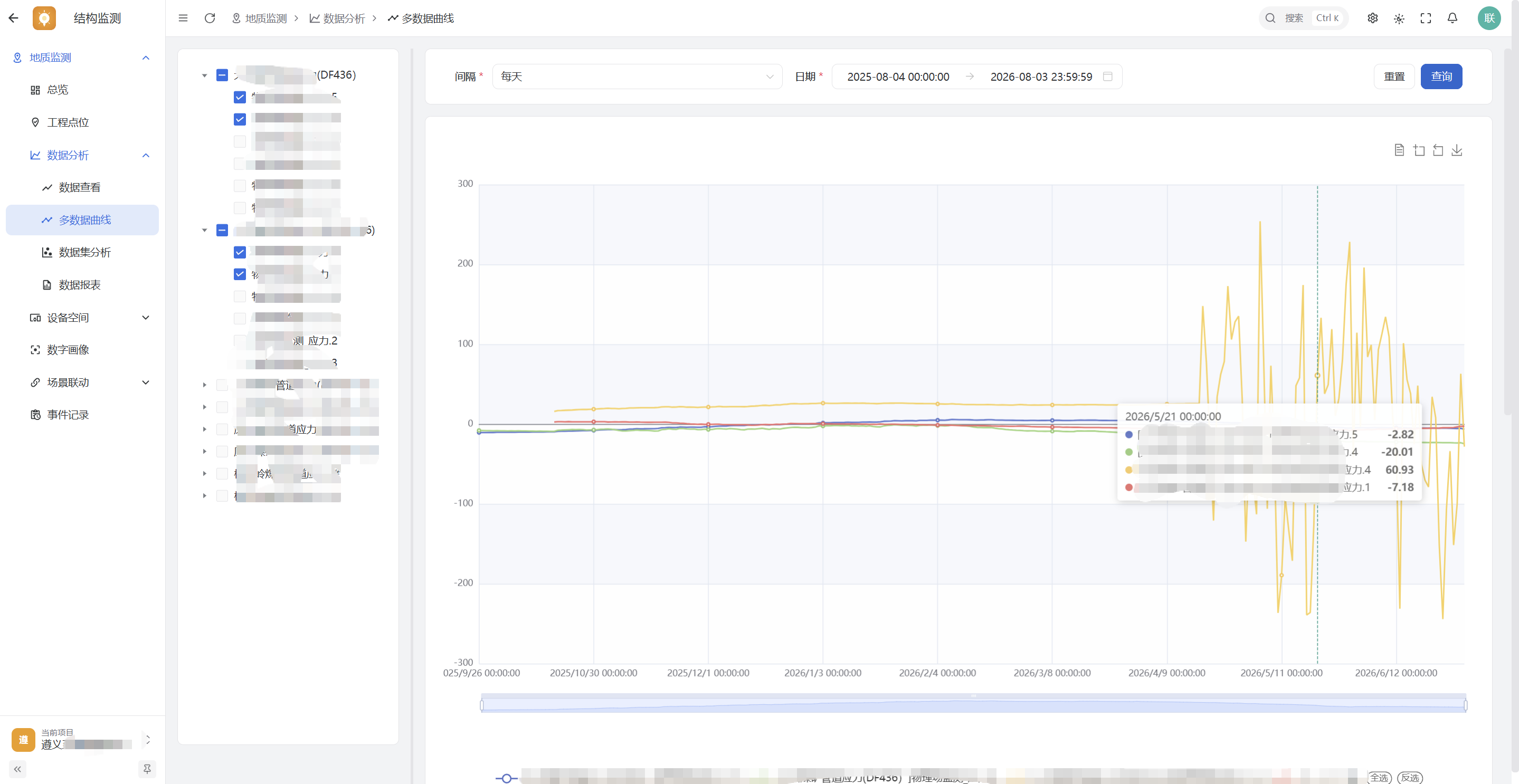
Review multiple trends by asset and time range while retaining query conditions and data definitions.
Use reports and graded alert records to support review; specialists must confirm anomalies against field conditions.
What these screens show
Follow the monitoring overview, digital profile, multi-point trends, and reports to see how monitoring data is organized.
Historical public monitoring interface.
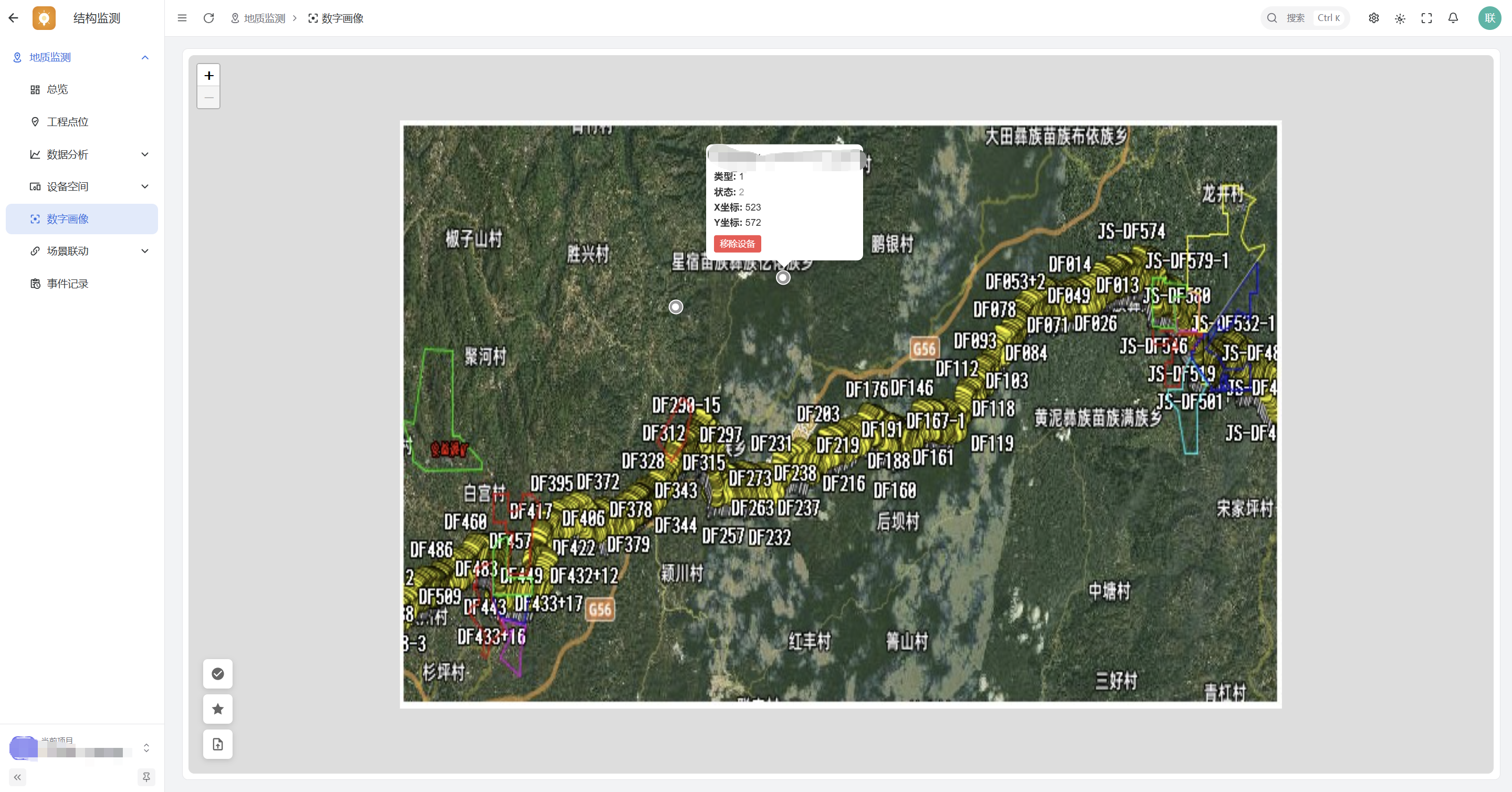
Historical public screen linking monitoring points to project assets.
Historical data illustrates query views; it is not an engineering safety assessment.
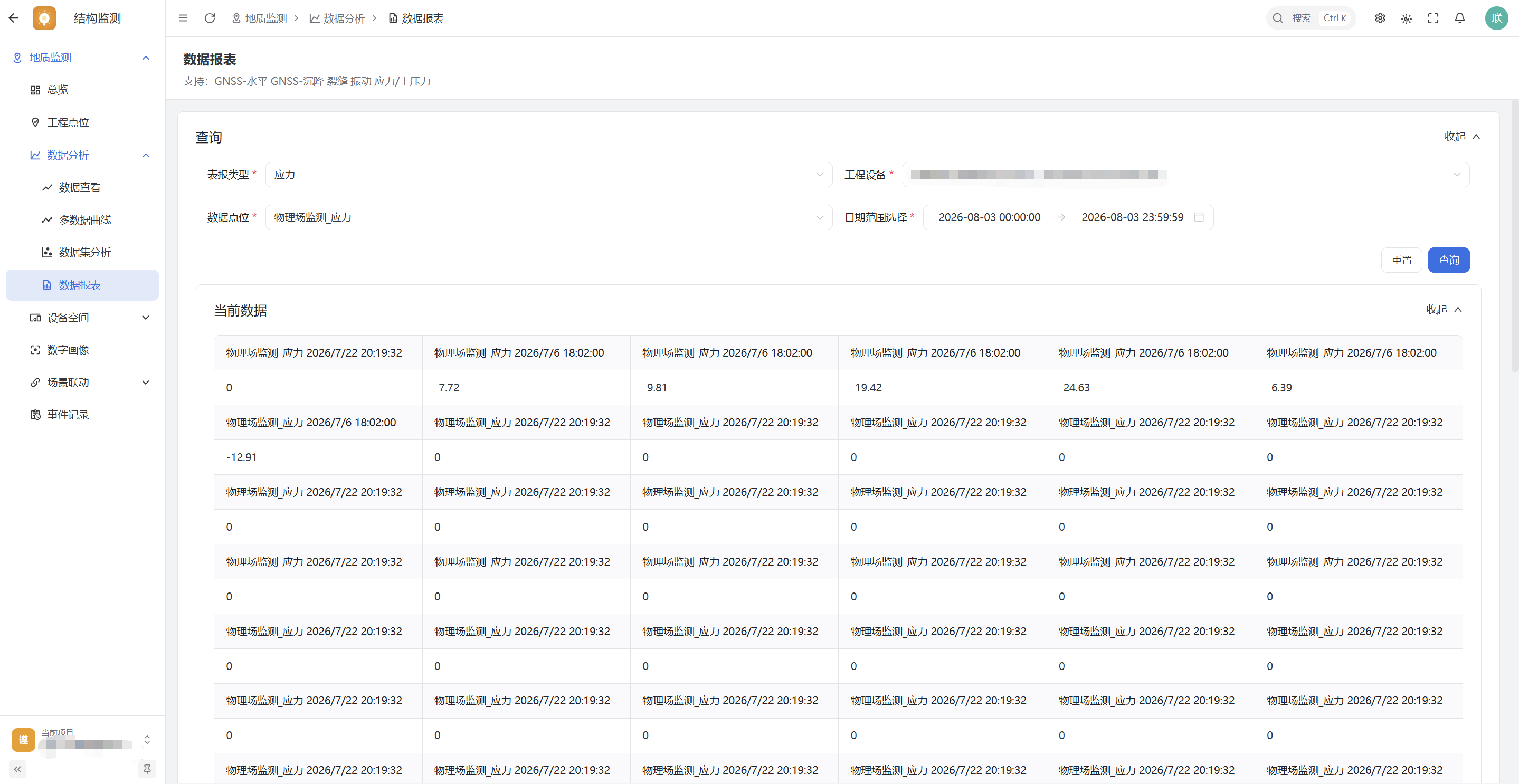
Historical public report interface.
These screens are not an engineering safety assessment and make no claim about detection or alert accuracy. Professional conclusions require field evidence, data-quality checks, and accepted engineering methods.
Source: public UnitedRhino documentation. Screens are historical; the article date does not establish when a project went live. View source material ↗